 Wow InvoiceWow Invoice
A real shop quotation with each product, the quantity and the delivery fee, so the customer confirms before you pack the order. Download it free, or make yours on your phone and send it by text or email.
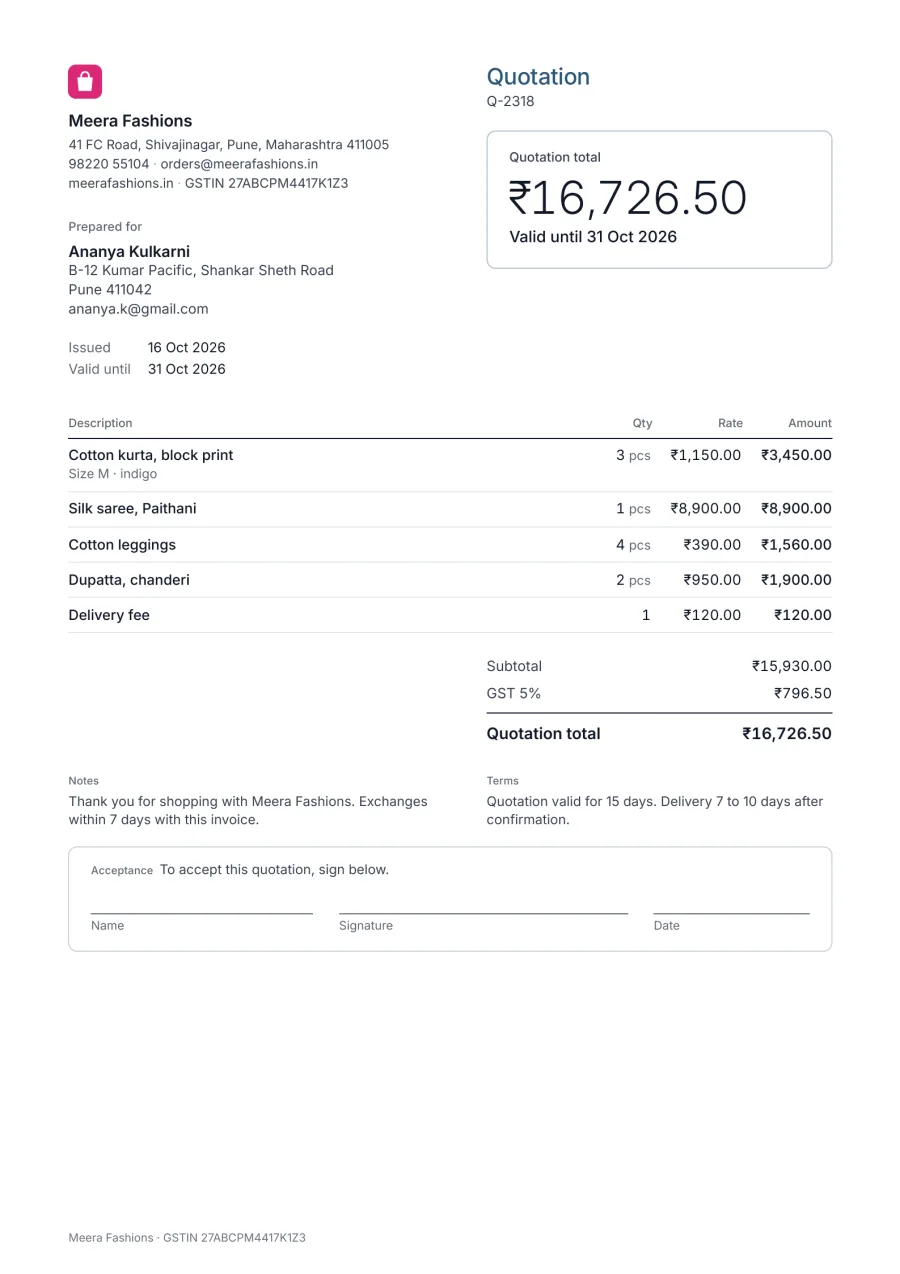
The lines people in this trade add most often in Wow Invoice. Save them once and they’re there for every estimate and invoice.
| Line item | Unit | Tip |
|---|---|---|
| Your products | each | With size, colour or variant |
| Delivery fee | order | The most common extra line for sellers |
| Discount | order | A % or an amount |
| Gift wrapping | order | If you offer it |
List each product with its size, colour or code, so the customer confirms exactly what they’re getting.
A separate delivery line keeps product prices comparable and the total honest.
Stock and prices change. A 7 to 15-day validity keeps you from selling what you no longer have.
Wow Invoice turns this template into a 1-minute estimate: pick the design, add your logo, tap your saved items, and send it by text or email. When the client says yes, one tap turns it into the invoice.


A quote is the price before the sale; the customer accepts it. The invoice asks for payment after. In Wow Invoice the accepted quote becomes the invoice with one tap.
Yes. Download the PDF example for free. The Wow Invoice app is free to download too, and makes estimates and invoices on your phone.
You send it from the app by text or email, and the client signs it to say yes. Then you turn it into an invoice with one tap.
Yes. When the client says yes, turn the estimate into an invoice with one tap, with the same items and prices.