 Wow InvoiceWow Invoice
A real example for painters and decorators — labour by the day, paint by the litre, brushes and rollers, prep materials and travel. Download it free, or make your own on your phone and get paid by card.
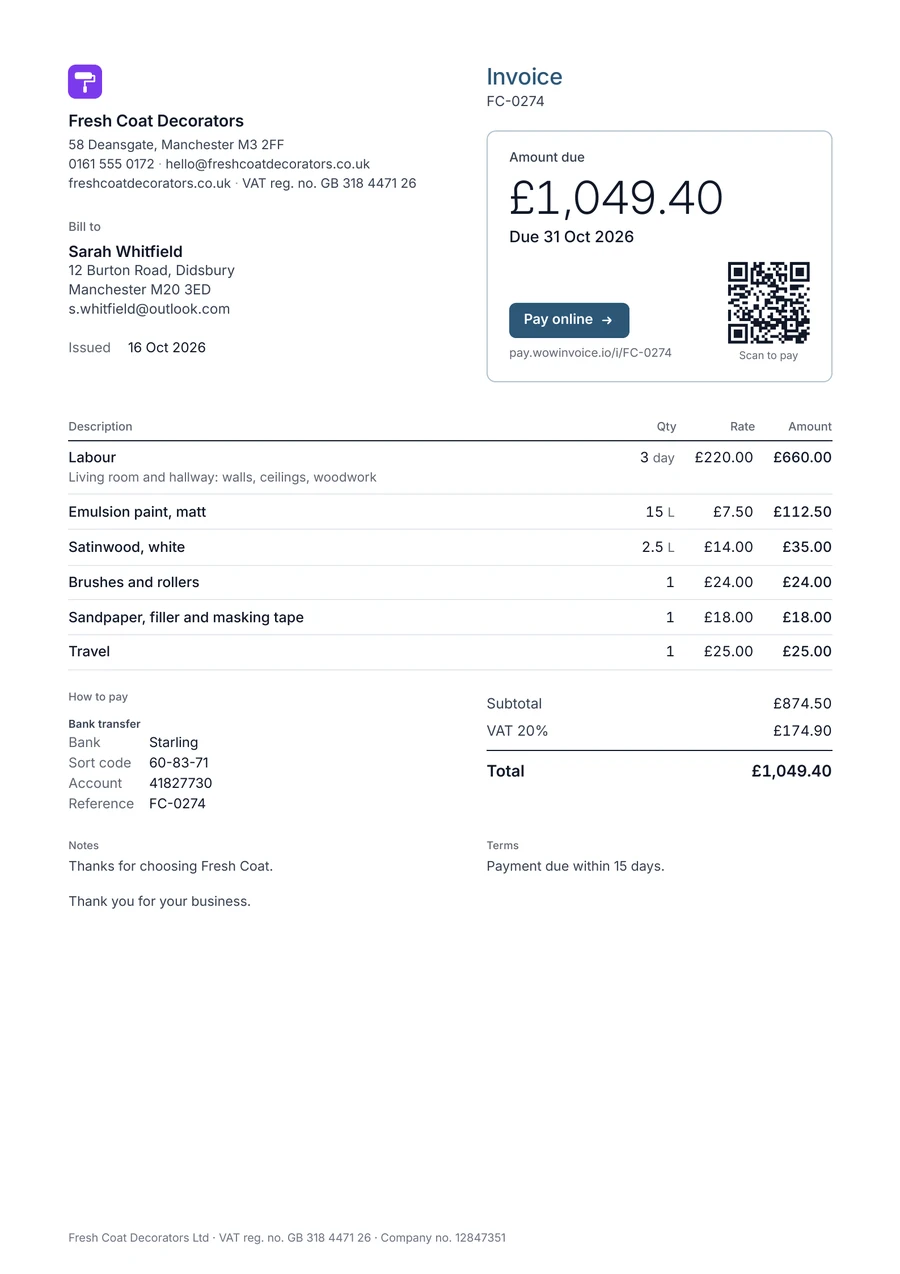
The lines painters add most often in Wow Invoice. Save them once and they’re there for the next job.
| Line item | Unit | Tip |
|---|---|---|
| Labour | hour or day | The most common line on painting invoices |
| Paint | litre or gallon | Name the type and finish |
| Brushes and rollers | item | |
| Sandpaper and masking tape | item | Filler too |
| Thinner or white spirit | litre | |
| Transport | job | Travel to the site |
A day rate works for big jobs; a price per room is easier for clients to say yes to on small ones.
Clients often choose the paint. Listing it separately keeps your labour price clear.
Send it before you leave; clients can pay by card from the link.
Wow Invoice turns this template into a 1-minute invoice: pick the design, add your logo, tap your saved items, and send it by text or email. Your client opens it in any browser and pays by card, Apple Pay or Google Pay.


Most painters list paint on its own line, by the litre or gallon, so the client sees the labour price clearly and can choose a different paint.
Yes. Download the PDF example for free. The Wow Invoice app is free to download too, and makes the same kind of invoice on your phone.
Yes. Wow Invoice takes card payments through Stripe, so your client can pay by credit card, Apple Pay or Google Pay straight from the invoice link.
Yes. Send an estimate, and turn it into an invoice with one tap when the client says yes.